Best Fax App for iPhone Without a Subscription
If you want a fax app for iPhone without subscription billing, you have fewer choices than the App Store suggests. Most fax apps are built around a monthly plan. We sorted six iPhone options by how you pay.
We make Cheapfax, so we have a stake in the answer. We checked each service's own pricing page or App Store listing on Nov 22, 2026 and report only what it says. Where a competitor fits a job better than we do, we say so.
What "Without a Subscription" Should Mean
A fax app is subscription-free only if you can send a fax, pay once and be done. Three things decide that.
Nothing renews. No monthly charge, no yearly charge, nothing to cancel.
You can send without a plan. You buy a page, a fax or a pack of credits, and that's it.
A free tier is a limit, not a plan. A free allowance that runs out is fine, but it isn't a way to keep faxing.
Maybe you send a few faxes a year: a form for a doctor, a signed page for a landlord, a document for a government office. A plan with a monthly fee doesn't fit that.
The Best Fax App for iPhone Without a Subscription: Six Compared
We looked at six services you can use from an iPhone. Four are built around plans. Two let you pay as you go, on terms we could confirm.
App | How You Pay | Send Without a Plan? | Free Option | Starting Price |
|---|---|---|---|---|
Cheapfax | Pack of pages, in-app purchase | Yes | None | 50¢ per page |
Genius Fax | Fax credits, in-app purchase | Yes | Free download, cover page free to send | $0.99 for 1 credit |
FAX.PLUS | Monthly or yearly plan | Free plan only | 10 pages in total | $6.99 a month, billed yearly |
FaxBurner | Monthly plan | Free plan only | 5 pages to send in total | $14.95 a month |
iFax | Monthly or yearly plan | Has a Pay Per Fax page, terms not shown | "Try it free" buttons, terms not shown | $12.49 a month |
eFax | Monthly or yearly plan | No | 7-day trial that converts unless canceled | $18.99 a month, regular rate |
Checked Nov 22, 2026.
The price column shows the cheapest paid entry we found for each service. It isn't a like-for-like cost, because a plan and a per-page price don't measure the same thing. Read the "How You Pay" column first.
Cheapfax
You pay 50¢ per page, by Apple in-app purchase. There's no plan and nothing that renews. You buy a pack of pages, and any pages left over stay on your balance for the next fax. If your balance already covers a fax, the Send button reads "No charge" and Apple doesn't ask you for anything.
Sends from the camera scanner, Files, Photos or the share sheet.
Pages are counted before you pay, and the price shows on the Send button.
A fax number can be saved to the address book.
Up to 50 pages in one fax.
An optional cover sheet, in a Modern or Traditional layout.
A failed fax is refunded automatically to your balance.
Documents are deleted after 30 days.
A delivered fax gets a receipt you can download, and the app can send a push notification when it goes through.
It sends to the US and Canada only. It sends faxes and can't receive them. It needs iOS 17 or later.
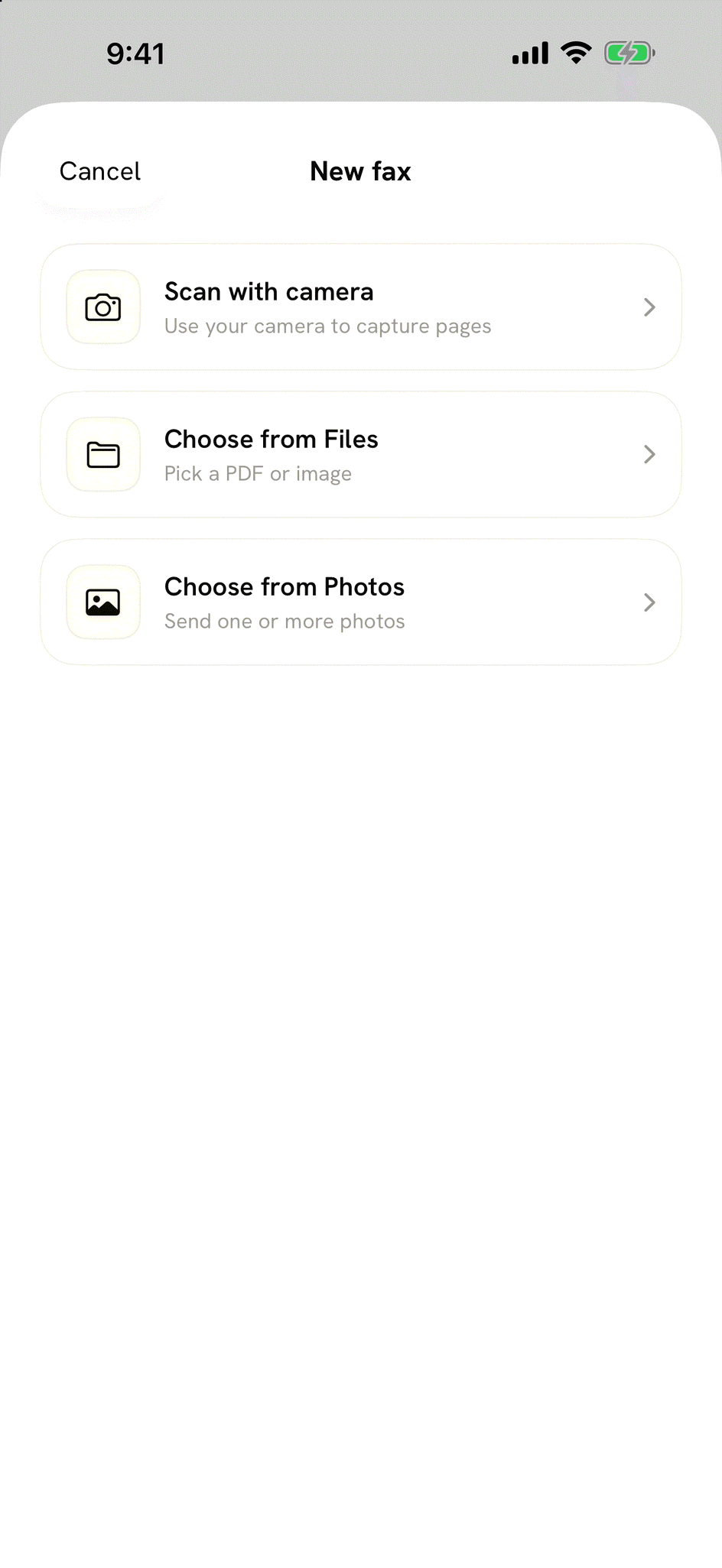
The New fax screen.
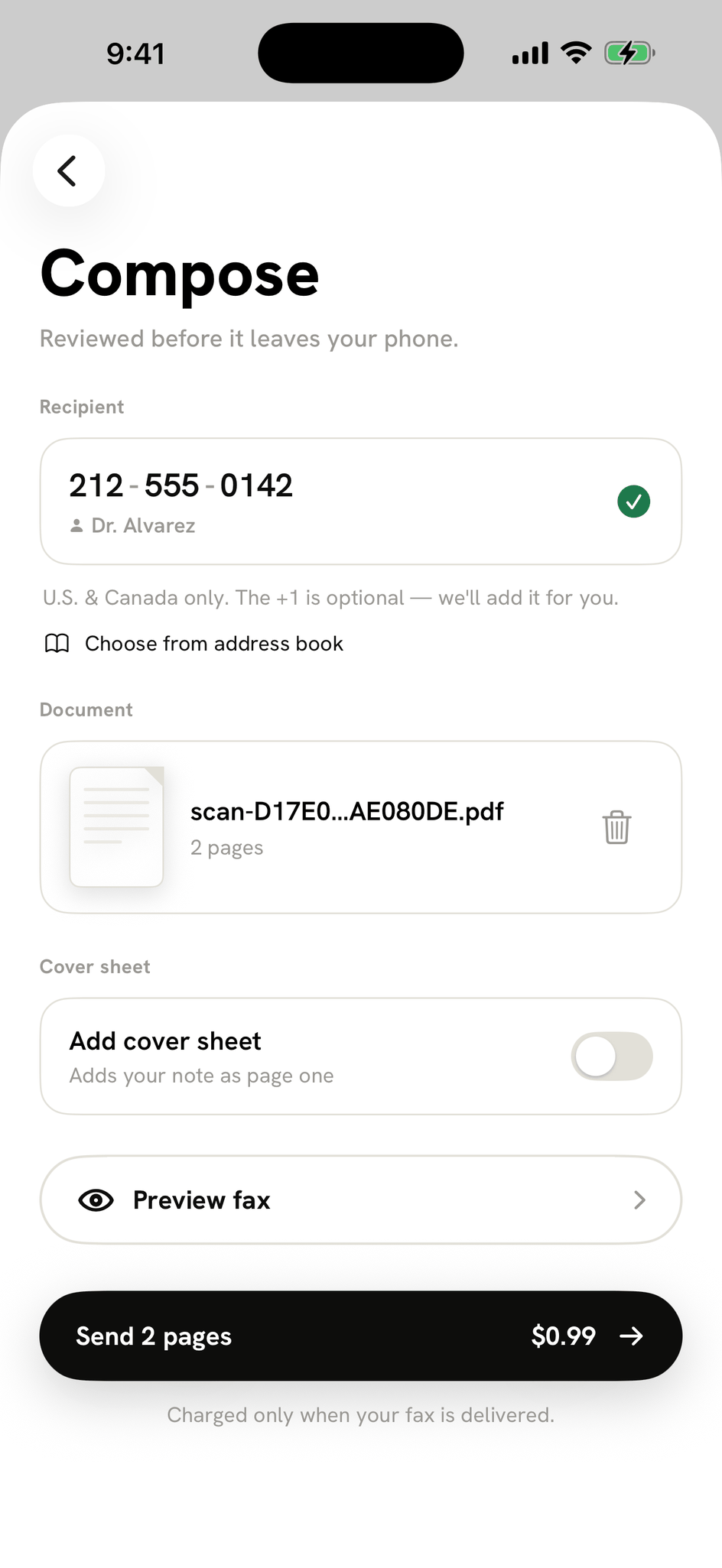
Compose with the page count and total.
Our guide to faxing a file from your iPhone walks through each step.
Genius Fax
Genius Fax is the closest match to Cheapfax in how it bills. Its App Store listing says each page of a PDF costs one fax credit, to send or to receive. It sells credit packs by in-app purchase, with larger packs costing less per credit.
The app is a free download, and the listing says the cover page is free when sending.
It lists many countries for sending, well beyond the US and Canada.
Receiving needs a number, which it sells as a separate subscription for 1, 3 or 6 months. You can send without that.
It requires iOS 17 or later.
Genius Fax is the better fit if you need to fax outside the US and Canada. Cheapfax can't do that. If you only send inside those two countries, both apps bill by the page, so compare how each one quotes a fax before you pay.
FAX.PLUS
FAX.PLUS has an iPhone app, and its pricing page lists a mobile app on every plan, free one included. The free plan comes with 10 pages to fax in total. The page states no time limit, but it's a one-time allowance and not a monthly one.
Paid plans renew automatically, monthly or yearly.
Receiving faxes needs an active paid plan.
Pages beyond a plan's allowance are charged per page.
Higher plans allow longer faxes than the free plan's 30-page cap.
FAX.PLUS is the better fit if you need to receive faxes or fax in volume. For a one-off fax, the free 10 pages are worth a try. You can read its plans at fax.plus/pricing.
FaxBurner
FaxBurner's own pricing page says its free plan "isn't a trial." It gives you a disposable fax number that lasts 24 hours, 5 pages to send in total and 25 pages a month to receive. Paid plans add a permanent toll-free number and monthly page allowances. The page lists an iPhone and iPad app, and says it sends to the US and Canada only.
The page doesn't mention pay-as-you-go or credits. FaxBurner is the better fit if you need a throwaway number to receive a fax from someone else. Cheapfax has no number and can't receive.
iFax
iFax lists plans by the month, with a yearly billing option, and a page of its own for Pay Per Fax. We couldn't read that page's terms from its public listing, so we can't tell you what a single fax costs there or how it's billed. Its pricing page also shows "Try it free" buttons without saying how long a trial lasts.
The page says you can cancel anytime. iFax is the better fit if you want a full set of features, including receiving, a number and desktop apps, and you're comfortable managing a plan. Read the trial terms before you start one.
eFax
eFax's pricing page describes monthly and yearly plans with page allowances, and a 7-day free trial that "converts to a paid subscription unless canceled before the trial ends." It lists a free iPhone app. Unused pages don't roll over, and it doesn't list a pay-per-fax option.
eFax is the better fit if you fax every week and need a number that receives. It isn't built for the occasional sender.
Free Websites Are Not iPhone Apps
FaxZero is a free fax website. You can open it in Safari, but it isn't an app, so we left it out of the table.
How to Fax From an iPhone Without a Plan
In Cheapfax:
Tap New fax.
Pick Scan with camera, Choose from Files or Choose from Photos. You can also share a PDF to the app from another app.
Type the fax number, or tap Choose from address book.
Tap Add cover sheet if you want one, and pick the Modern or Traditional layout.
Tap Preview fax to check every page.
Check the price on the Send button and tap it. Apple asks you to confirm a purchase only if you need more pages.
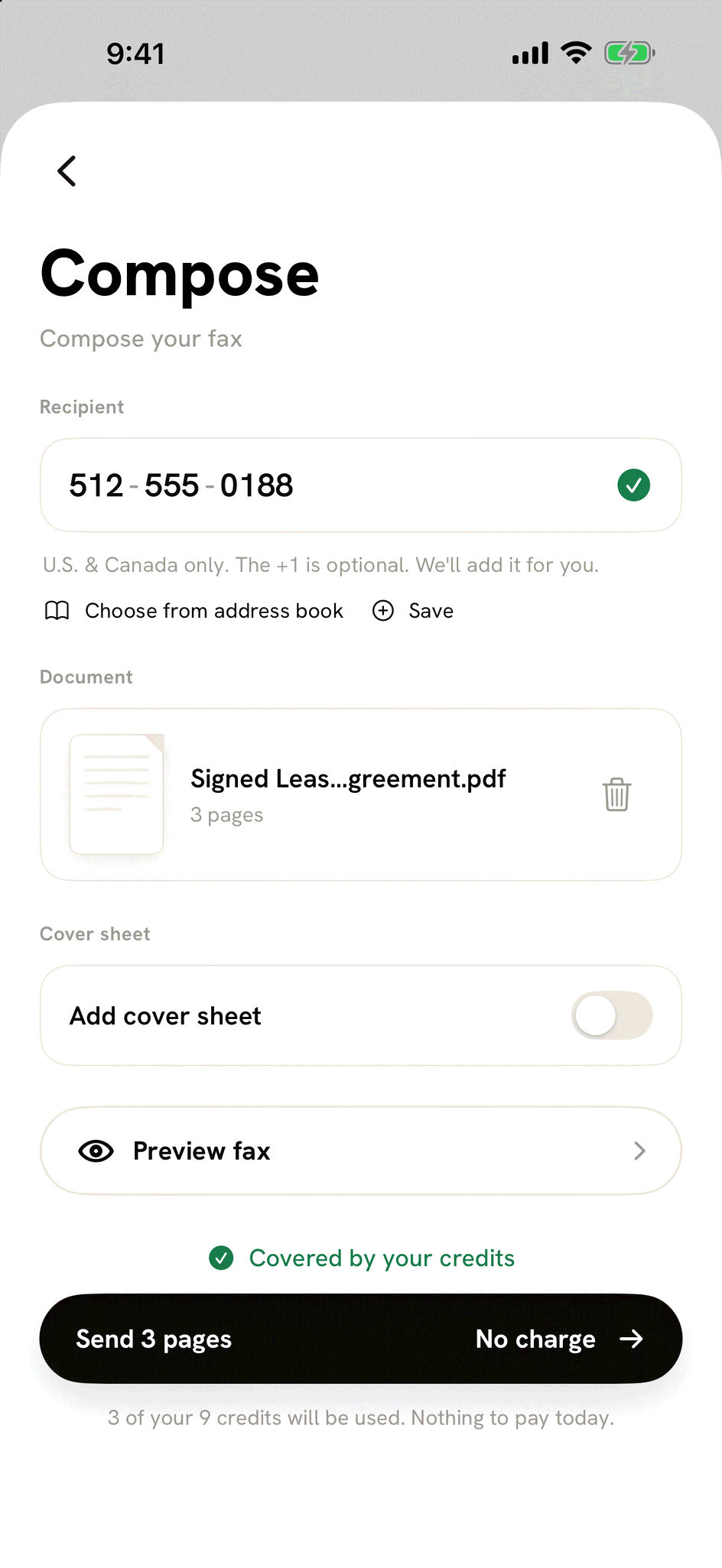
A 3-page PDF ready to send.
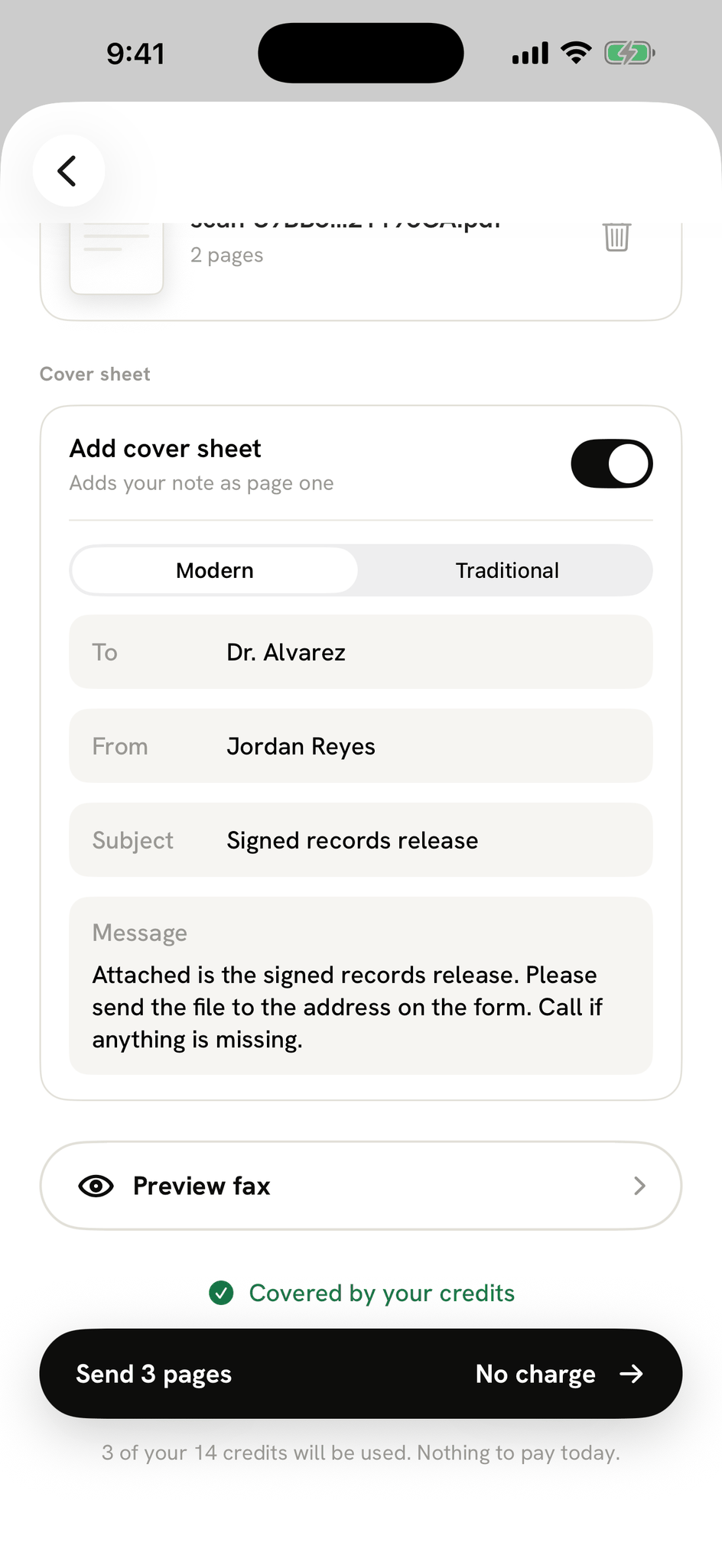
Filling in a cover sheet.
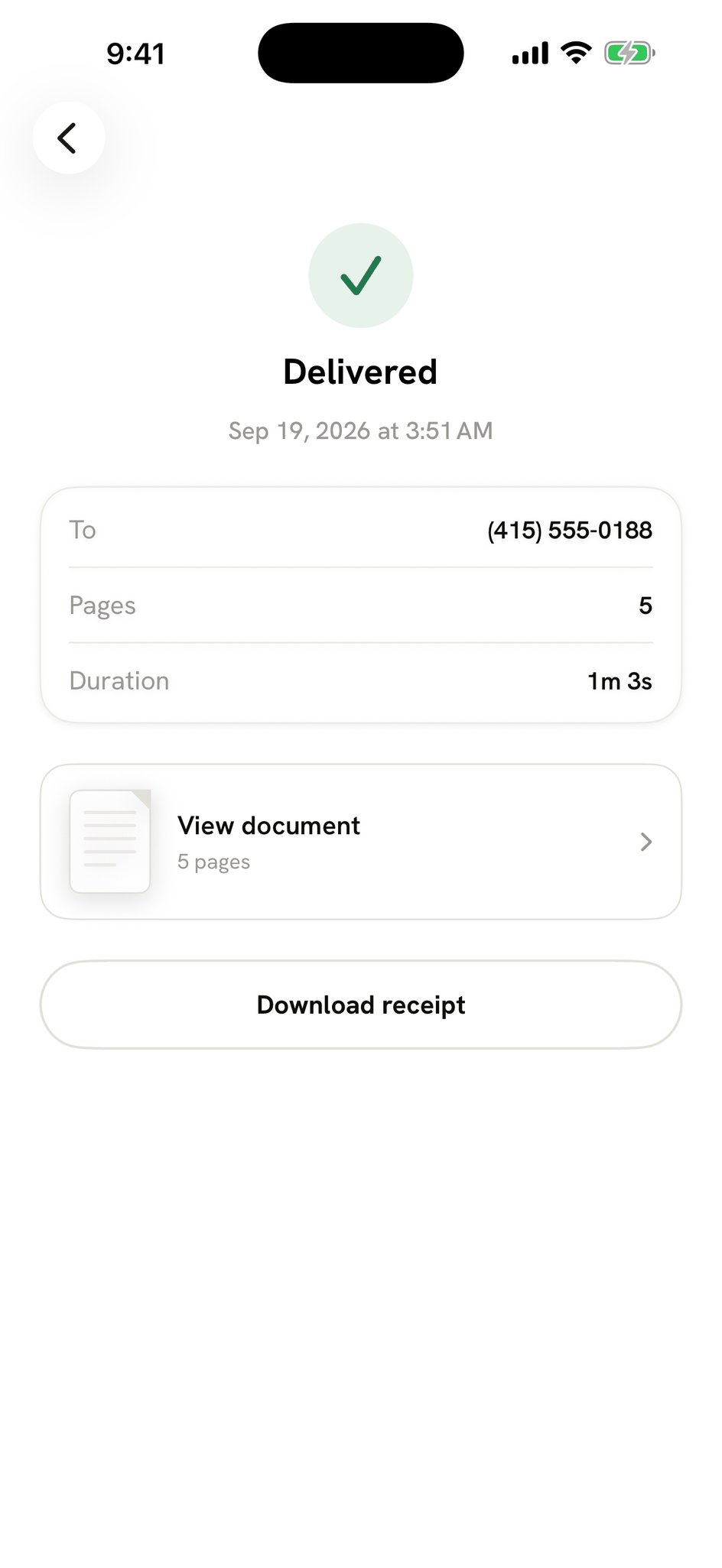
A delivered fax with its receipt.
For the cheapest approaches across all phones and tools, see The Cheapest Ways to Fax From Your Phone Without a Monthly Subscription.
Which One to Pick
You send a few faxes a year inside the US or Canada: Cheapfax or Genius Fax. You can send with either one without a plan.
You need to fax other countries: Genius Fax.
You need to receive faxes: FAX.PLUS, FaxBurner, iFax or eFax. Cheapfax can't receive.
You fax in volume every month: a plan from FAX.PLUS, iFax or eFax can make sense, since one monthly allowance covers many pages.
You want to try it for nothing: FAX.PLUS or FaxBurner free plans, within their limits.
Cheapfax has no plan and no trial, and it shows the price before you pay. You can get Cheapfax on the App Store.
Our Verdict
For a fax app for iPhone without subscription billing, the choice is between the two apps we could confirm sell by the page, Cheapfax and Genius Fax. Pick Genius Fax if you send abroad. Pick Cheapfax if you send in the US or Canada and want 50¢ per page, with a failed fax refunded automatically. If you need to receive faxes, neither of those will do, and a plan from one of the others is the better choice.
Questions
Is There a Free Fax App for iPhone?
Some have a free tier. FAX.PLUS lists 10 free pages in total, and FaxBurner lists 5 pages to send in total. Both are limited allowances, not ongoing free faxing.
Does Cheapfax Have a Subscription?
No. You pay 50¢ per page. There's no monthly fee, no trial and nothing that renews.
What Happens to Pages I Don't Use?
You buy a pack of pages, and leftover pages stay on your balance for the next fax.
How Many Pages Can I Send in One Fax?
Up to 50. The app counts the pages and shows the price before you pay.
Can Cheapfax Receive Faxes?
No. Cheapfax only sends, and only to the US and Canada.
What Happens If a Fax Fails?
The pages are refunded to your balance automatically. You don't have to ask.